Aloha Browser for iOS: privacy you don’t have to double-check
No more choosing between TrafficMask and the VPN, and no more guessing whether a tab is private. Two changes in Aloha Browser for iOS.

In our latest iOS release, TrafficMask and the VPN now run at the same time, and Private Mode shows clearly on every screen.
You turn on a privacy tool and expect it to stay on. Until now, that wasn’t always the case in Aloha for iOS. Turning on TrafficMask switched off your VPN, and a private tab could look a lot like a normal one. Version 8.14.0 changes both, so you can set things up once and get on with browsing.
TrafficMask and VPN now work together
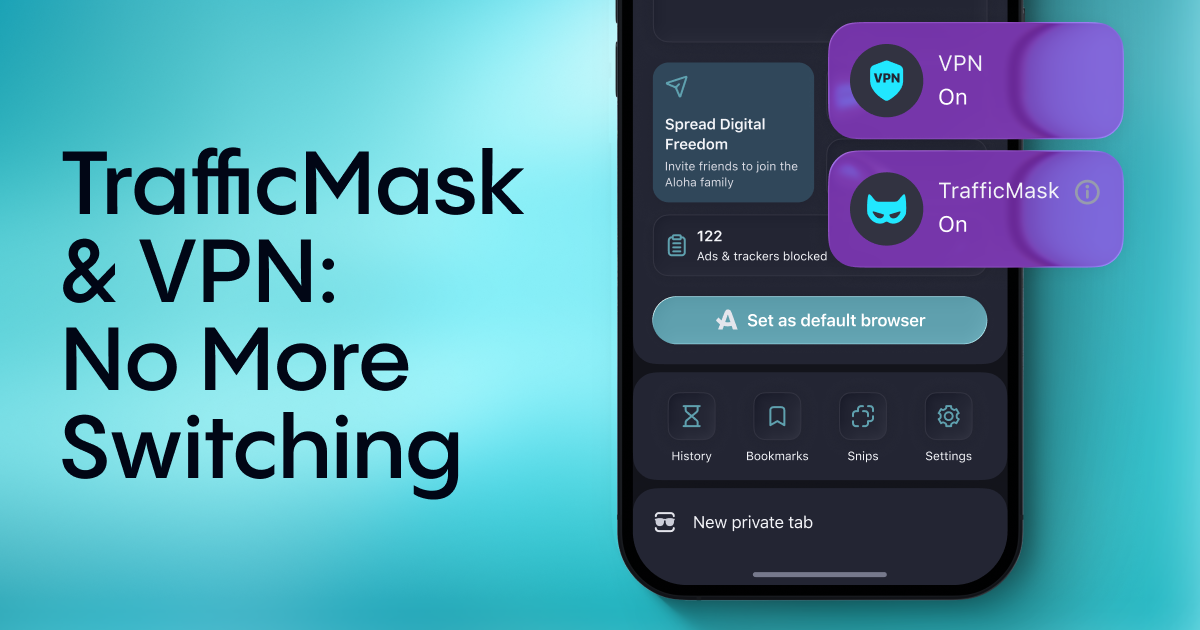
You might use the VPN for privacy and TrafficMask to open sites your network blocks. Until now, using both meant switching back and forth, because only one could run at a time.
Now TrafficMask is its own switch. Turn it on once and it stays on:
- Connecting the VPN no longer turns TrafficMask off.
- Turning TrafficMask on or off no longer drops your VPN.
- While the VPN is connected, it protects you as usual. If it disconnects, TrafficMask takes over in the browser automatically.
Private Mode: always clear which mode you’re in
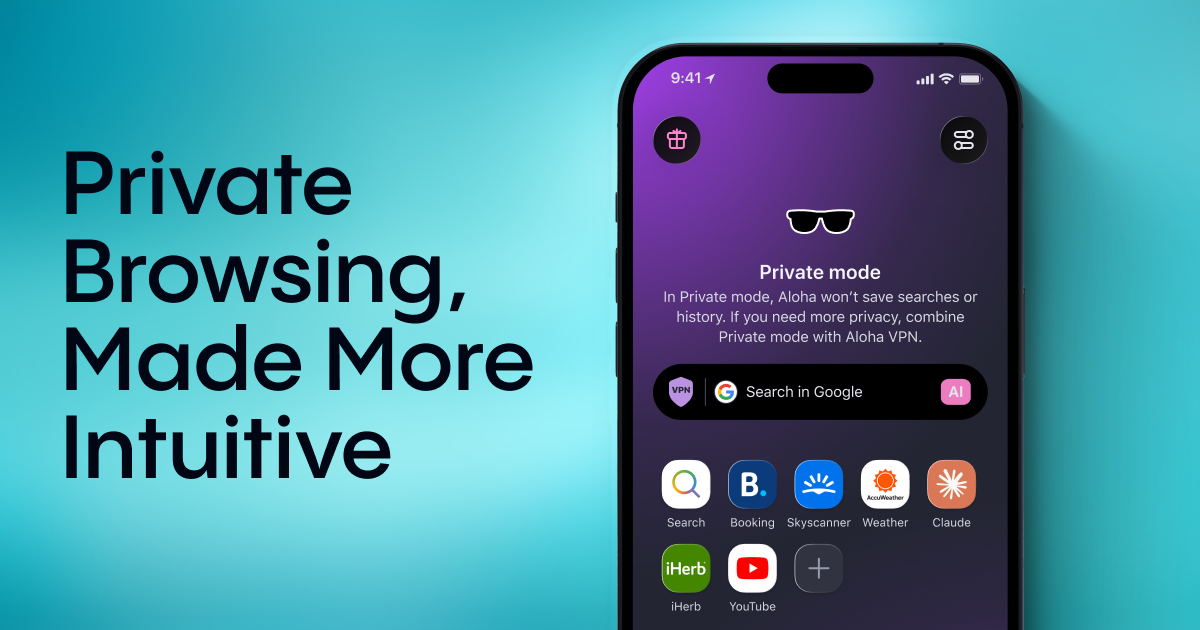
A private tab should look private, whether you just opened it or came back to it an hour later. So we redesigned Private Mode on iPhone and iPad, from the first screen to the last bit of toolbar left when you scroll.
A Start page that explains itself. Open a private tab and you’ll see a glasses icon, a “Private mode” heading and a short explanation: Aloha won’t save your searches or browsing history in this mode. It also reminds you that you can use Private Mode together with Aloha VPN.
One symbol, everywhere. The glasses icon appears on the tab overview button. On an open website, it sits to the right of the domain in the address bar.
Still there when you scroll. On iPhone, the bottom toolbar shrinks to give the page more room. The glasses icon stays next to the site name, so one look at the address bar tells you which mode you’re in.
Works with your theme. The new design works with light and dark themes and with different background colors. Darker panels keep the controls easy to see without changing the look you chose.
Made for iPad too. In portrait and landscape, the Private Mode explanation sits in the center of the Start page, and the glasses icon stays next to the domain in the top address bar.
Get it
Update Aloha Browser for iOS to version 8.14.0. Turn on TrafficMask once, connect the VPN when you need it, and open a private tab to see the new look.